Chris59
Administrators
-
Gick med
-
Besökte senast
Allt postat av Chris59
-
This application allows you to showcase testimonials on your site. Demo: http://demo.ipsappzone.com/testimonials/ Main Features: Engaging Testimonial Sliders in widget: Choose from 3 sleek slider styles to display testimonials beautifully. Flexible Sorting: by newest, oldest, or randomize. Responsive Design: Looks great on desktops, tablets, and mobile devices for a seamless experience. Category Support: Organize testimonials into relevant categories to help users find what they need. Permission Control: Set permissions for viewing, submitting, and managing testimonials. Approval Options: Enable moderation so testimonials can be approved by moderators. Customizable Fields: Toggle titles, ratings, and additional info like company, job, and website. Complete Management: Easily edit, show/hide, or delete testimonials as needed. RSS Feeds: Provide up-to-date testimonials via RSS.Visa hela artikeln
-
Hello, Will there be official translation packs for IC 5? And will these be available with the launch? Important for me is German. Thanks, Markus Länk till full forum post
-
EasyPopup offers a powerful, customizable solution for creating eye-catching popups on your website. Configure everything from size, position, and transitions to timing, content, and audience targeting. With IPS Member Filters, you can tailor popups to suit specific groups and boost user engagement effortlessly. Features: Width/Height. Transition open/close: FadeIn/FadeOut, SlideIn, SlideUp, SlideDown, SlideBack. Transition speed. Positions: Top Left, Top Center, Top Right, Middle Left, Middle Center, Middle Right, Bottom Left, Bottom Center, Bottom Right Background color. Compose popup content using the Editor or HTML, or simply upload an image. Supports advertisement tag in the HTML code: {advertisement="key"} Auto close and show timer on popup. Showing popups every page loads or every X minutes. Waiting for X miliseconds to show. Easily set specific URLs for popup display. IPS Member Filter System to show popups. (filter by groups, content count, joined date, last posted, last visited, reputation, member of the day....)Visa hela artikeln
-
EasyPopup offers a powerful, customizable solution for creating eye-catching popups on your website. Configure everything from size, position, and transitions to timing, content, and audience targeting. With IPS Member Filters, you can tailor popups to suit specific groups and boost user engagement effortlessly. Features: Width/Height. Transition open/close: FadeIn/FadeOut, SlideIn, SlideUp, SlideDown, SlideBack. Transition speed. Positions: Top Left, Top Center, Top Right, Middle Left, Middle Center, Middle Right, Bottom Left, Bottom Center, Bottom Right Background color. Compose popup content using the Editor or HTML, or simply upload an image. Supports advertisement tag in the HTML code: {advertisement="key"} Auto close and show timer on popup. Showing popups every page loads or every X minutes. Waiting for X miliseconds to show. Easily set specific URLs for popup display. IPS Member Filter System to show popups. (filter by groups, content count, joined date, last posted, last visited, reputation, member of the day....)Visa hela artikeln
-
Ändrad Status till my_suggest_waiting, my_suggest_under_review
-
Addade flödes import från SOS Invision (Adriano) en av dom få som kodar appar för IPS5 4 mer sidor att översätta , report center har uppgraderats, (när nån rapporterar ett inlägg med oseriöst innehåll) RSS Flödes importer, har buggar och importerar inte bilder från rss feed
-
Addade flödes import från SOS Invision (Adriano) en av dom få som kodar appar för IPS5 4 mer sidor att översätta , report center har uppgraderats, (när nån rapporterar ett inlägg med oseriöst innehåll) RSS Flödes importer, har buggar och importerar inte bilder från rss feed View full release
-
Enhance your site with beautiful, fully responsive Sliders and Gridview options that adapt seamlessly to any device. Flexible Slider Customization: Choose from horizontal, vertical, or random modes; set autoplay, speed, duration, buttons, and more. Gridview: Showcase your content in a stylish, organized layout. Auto-Content: Automatically generates sliders from content in: Pages, Forums, Gallery, Downloads, Clubs, Commerce, and Videobox. RSS Feed Support: Automatically fetch content from RSS URLs. Custom Content Management: Easily add and manage custom content to your slider/gridview; drag & drop to sort, click to edit titles, upload images, and add links. Thumbnail Caching: creates and saves thumbnail cache for faster loading. Widget Support: use widget to display slider/gridview. Popup View: quick view content in a popup (supports Forums, Downloads, Pages, and Videobox)Visa hela artikeln
-
Enhance your site with beautiful, fully responsive Sliders and Gridview options that adapt seamlessly to any device. Flexible Slider Customization: Choose from horizontal, vertical, or random modes; set autoplay, speed, duration, buttons, and more. Gridview: Showcase your content in a stylish, organized layout. Auto-Content: Automatically generates sliders from content in: Pages, Forums, Gallery, Downloads, Clubs, Commerce, and Videobox. RSS Feed Support: Automatically fetch content from RSS URLs. Custom Content Management: Easily add and manage custom content to your slider/gridview; drag & drop to sort, click to edit titles, upload images, and add links. Thumbnail Caching: creates and saves thumbnail cache for faster loading. Widget Support: use widget to display slider/gridview. Popup View: quick view content in a popup (supports Forums, Downloads, Pages, and Videobox)Visa hela artikeln
-
Video Slider Widget is a plugin that allows you make responsive video galleries to your website without coding knowledge. By adding video url, it will generate the title, thumbnail and credits automatically. Supported videos from: Youtube Vimeo Wistia Dailymotion Other supported videos: .mp4, .ogv, .webm Options: Layouts: vertical and horizontal Themes: dark and light Play button styles: square, flat circle, plain arrow, youtube style, bordered arrow Demo: https://demo.ipsappzone.com/videosliderwidget.html/ Visa hela artikeln
-
Effortlessly create stunning, responsive video galleries for your website—no coding required! Just paste a video URL, and watch as the app instantly generates titles, thumbnails, and more to give your video slider a professional look. Supported videos from: Youtube Vimeo Wistia Dailymotion Other supported videos: .mp4, .ogv, .webm Options: Layouts: vertical and horizontal Themes: dark and light Play button styles: square, flat circle, plain arrow, youtube style, bordered arrow Demo: https://demo.ipsappzone.com/videosliderwidget.html/Visa hela artikeln
-
Effortlessly create stunning, responsive video galleries for your website—no coding required! Just paste a video URL, and watch as the app instantly generates titles, thumbnails, and more to give your video slider a professional look. Supported videos from: Youtube Vimeo Wistia Dailymotion Other supported videos: .mp4, .ogv, .webm Options: Layouts: vertical and horizontal Themes: dark and light Play button styles: square, flat circle, plain arrow, youtube style, bordered arrow Demo: https://demo.ipsappzone.com/videosliderwidget.html/Visa hela artikeln
-
This app will display a popup or redirect user to a page reminding them to update their information before browsing the website. Features: Enable/Disable the feature. Select user groups required to fill in the information. Choose required information fields, including: Profile photo Cover photo Signature Profile fieldsVisa hela artikeln
-
This app will display a popup or redirect user to a page reminding them to update their information before browsing the website. Features: Enable/Disable the feature. Select user groups required to fill in the information. Choose required information fields, including: Profile photo Cover photo Signature Profile fieldsVisa hela artikeln
-
Invision Community 5: Beta testing and latest updatesInvision Community 5 is currently in beta testing for all customers with the Invision Community Classic license. Invision Community Cloud customers can request a private demo to test the latest version. After months of development work, we're pleased to move Invision Community into beta testing, the final phase before its stable release. We'd love your help to find the last few bugs. You can join our Invision Community 5 Beta Testing Club and download the beta onto your test site or request a cloud demo. During the early stages of testing, we've implemented a lot of feedback, and I wanted to show you a few of the key changes we've not discussed in previous news blogs. Image Resizing Our brand new Invision Community 5 editor has many great features and quality-of-life improvements, one being the ability to resize images via drag handles. You can still specify a precise pixel value in the image menu, but the ability to resize using grab handles makes it easier to find the right size for your images. Embed Resizing We can also resize embeddable media, such as YouTube, in the same way as you resize images. You can resize by using the grab handles or set a specific pixel value, giving you fine control over the size of your embedded media. Page Editor Widgets We spoke about our new page editor in a recent blog, but a common request was to make it easier to find the right widget without a lot of scrolling up and down the menu bar. We've implemented a search filter enabling you to quickly find the right widget and a favorites system to pin your most used widgets to access them much quicker. Pages Database Layout Options A common request has been to make changing the look of the Pages database index and listing easier. Currently, with Invision Community 4, this means coding new templates by hand or using one of the many excellent pre-designed templates available from third-party developers. With Invision Community 5, we've brought the same magic we used with widgets to databases, allowing you to select from many layout options such as rows, grids, and wallpapers. You can still use a custom template, but these new layout options make it much easier to get the UI you need for your community. These are just a few of the many changes implemented since we opened Invision Community 5 for testing. We hope to see you in the beta club soon! Visa hela artikeln

-
Feed widget from a database show no content (Grid is selected) --> Should look like this
-
Detta är endast ett provförslag , detta är hjort med pages/database där man göra egna databaser för sitt behov
-
Invision Community 4: A more professional report centerInvision Community 4.7.19 contains a significant upgrade to the Report Center to improve compliance and professionalism within the reporting workflow. The existing report center functions well enough but lacks some of the more professional tools modern communities need when managing complaints. In previous versions, a member or guest reported a piece of content, such as a comment or topic, which was then handled by the community team behind the scenes, and the report closed when dealt with. It was up to the community team to inform the original content author if any decision was made and to inform those who reported the content of the outcome. The Invision Community November update improves the report center with a better workflow, including asking those reporting the content the reason for the report, notifications on the report outcome, and the content author being notified as to why their content was moderated. Now, a report can be closed as valid or rejected. These new completion statuses allow you to signal whether your team found the report valid or whether you decided that the report was not required and thus rejected. Let's look at what has changed. Admin Control Panel The initial Report Center interface now has various options to control how the public reporting form works. From here, you can configure how reporting works for guests, whether they are required to leave a name (email is always required), and whether a message is required for the report. Content Author Notifications In this section, you can create notification templates that can optionally be sent to the author of the original content when choosing to complete or reject the report. Report Types In previous versions, report types were solely for automatic moderation. In this update, we've brought report types to both automatic moderation and public reporting. Gathering the reason content has been reported is vital in deciding the outcome. Each report type can also accept a message sent to the person who made the report depending on the valid or rejected outcome via an email notification that can be opted out of. Reporting Content Now, when a logged-in member or a guest user reports content, they can select from one of the pre-configured report types. If a guest is making the report, they are asked to leave their details along with a message to accompany the report. Managing Reports When managing reports via the ModCP, the interface has been updated to make the status of the report and the reasons for the report clearer. This screenshot shows green rows, which are new reports that still need to be managed by the team, along with yellow rows, which are currently under review. Each row of reported content can have multiple reports from different members, and the reason for those reports (such as Spam, Offensive, etc) is shown in labels. Viewing reported content now shows more detail in the user reporting section. If a guest has reported the content, the guest's name and supplied email address are shown, and clicking this allows you to send an email to them. The reason for the report is now shown. For each user report, you can change the submission reason, and this change is logged in the moderator comments to create an audit trail. You can now mark the report as Complete or Rejected, which will trigger an email for all those who have reported this piece of content. You can also send one of the notification templates to the content author to update them on why their content has been moderated. This email to each person who reported the content contains the date, content title, and reason for reporting, along with the pre-configured message for the report outcome. In this case, the report was flagged as valid, and the message to the person who reported it confirmed the outcome. Putting it together These changes help automate notifying both the author of the content and the person who reported the content on the outcome. Let's look at an example flow to understand how these new tools help the workflow. In this example, User A (Author) creates some content, and User B (Reporter) decides to report this content, choosing "Offensive" as the reason for the report. The moderation team picks up the report, examines the reported content, and decides that the report is valid, so they mark the report as complete and choose to use a notification template to tell the content author (User A) that their content has been removed. As the report has been flagged as complete, the person who reported the content (User B) receives an email telling them the report has been upheld and action has been taken. We hope these changes improve your experience with the report center. Let us know what you think below.Visa hela artikeln

-
When using wallpaper as display index layout seems the tag class are missing , should be purpur as it shows everywhere else Should look as Grid display layout.. this is correct -->
-
Added youtube field Only to shown on display template (tried listing template to’ Want it to show ’Under the item content’ I click save But is not save that setting and stay at ’Above the item content’ Also want to say i wanted it as ’Embeded player option’ so u know So something funny going on here
-
Fyller på med material om Invision Community Classic v5 Importerar rss från IPS hemsida per automatik 4 Sidor att översätta då Rapporteringcenter är utbyggt i v5 (också i v4)
-
Fyller på med material om Invision Community Classic v5 Importerar rss från IPS hemsida per automatik 4 Sidor att översätta då Rapporteringcenter är utbyggt i v5 (också i v4) Visa hela release
-
This application allows your club owners to send a PM to all club members. The introduction price is a one time fee for the whole v5 lifetime cycle!! No subscriptions, no renewals!Visa hela artikeln
-
Prevent public access to the profiles of banned members by displaying a custom error message instead of the profile page. This application enhances privacy and control within your community by ensuring banned profiles remain hidden from all users, maintaining a secure and professional environment. The introduction price is a one time fee for the whole v5 lifetime cycle!! No subscriptions, no renewals!Visa hela artikeln
-
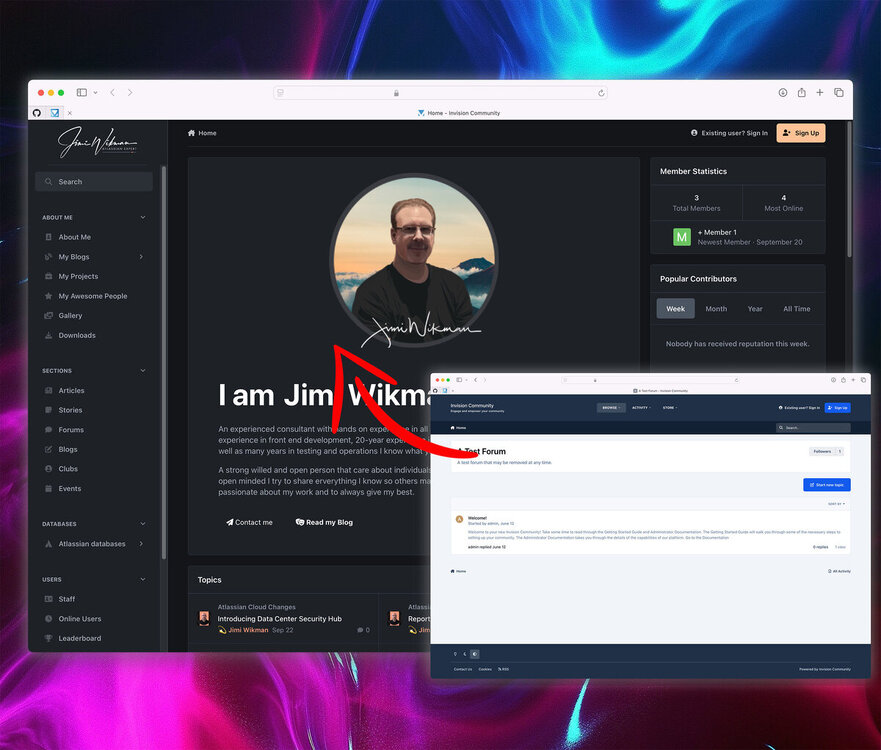
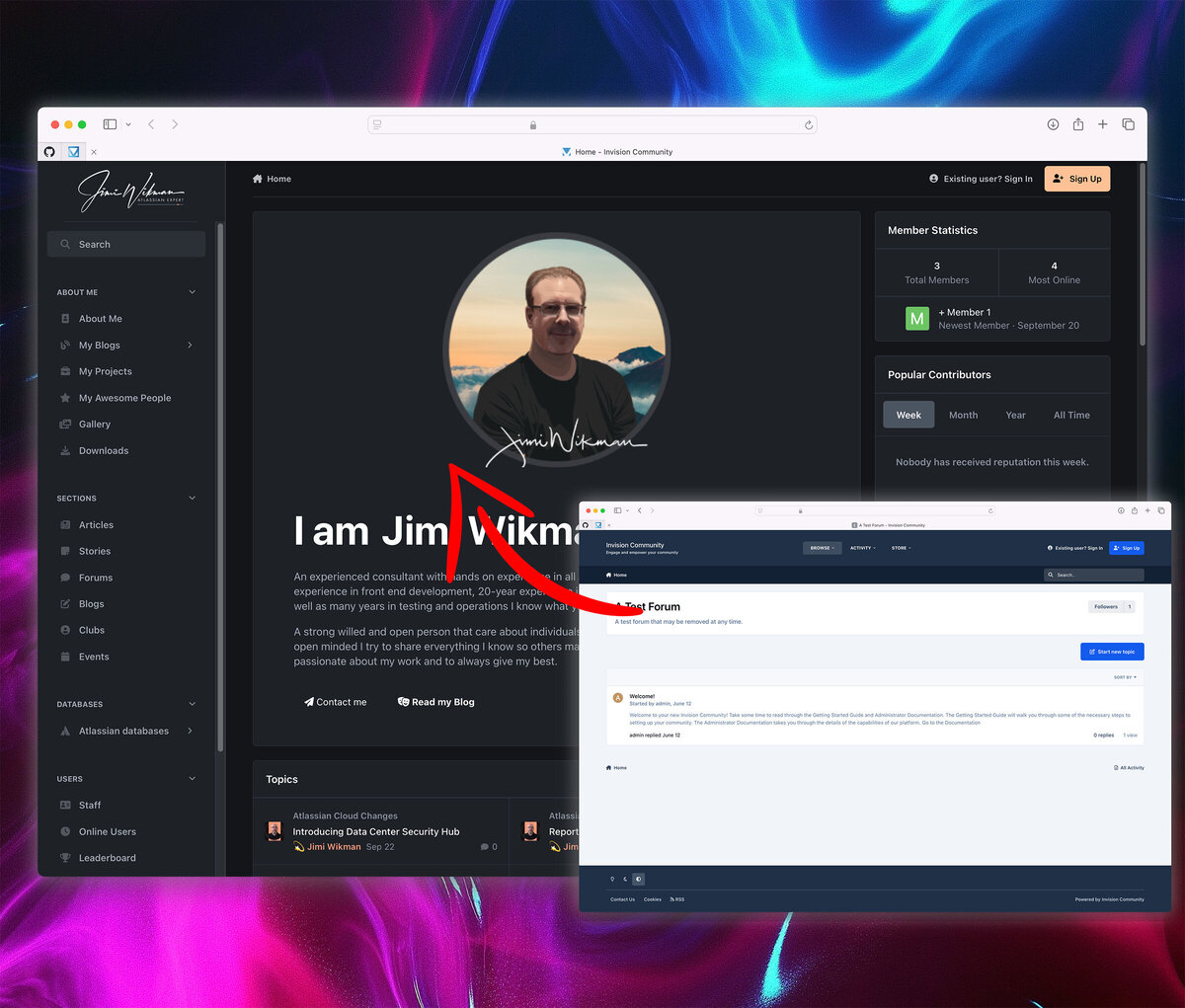
Invision Community 5: A video walkthrough creating a custom theme and homepageCan you start from a stock Invision Community 5 installation and have it themed, customized, and a new homepage built in under an hour without relying on custom templates and coding? Yes, and Jimi Wikman, a long-time Invision Community customer, did just that in his latest YouTube video. Jimi has over twenty-five years of experience in development and twenty years of experience in graphic design. Invision Community 5 has been in testing for a few months now, and Jimi produced this amazing walkthrough of Invision Community 5's new page editor and theme editor while re-creating his own site. Our vision for Invision Community 5 was to put the power into the hands of everyone, not just those who are proficient in PHP, HTML, and CSS. Jimi's video shows this vision as a reality as he moves through the theme editor to create his custom theme, and the page editor to build a custom homepage. Sit back and enjoy watching Jimi put together a new site. Thanks Jimi! If you're interested in testing Invision Community 5 for yourself, just join our Beta Testing Club. Visa hela artikeln