Chris59
Administrators
-
Gick med
-
Besökte senast
Allt postat av Chris59
-
Skulle vilja ändra clubs till team istället. lite modernare tycker jag i alla fall Kommer nog ändra i språkfilerna till Team Synpunkter på det ?
-
Invision Community 4: SEO, prepare for v5 and dormant account notificationsInvision Community 4.7.19 will be released in November and contains many updates along with the report center improvements. While Invision Community 5 moves through the beta process, I wanted to let you know about all the updates coming in Invision Community 4. I've already spoken about the Report Center updates, which bring more professionalism and compliance to that area, and this blog will outline a few other highlights for the forthcoming release. Dormant Account Login Notification Keeping member accounts secure is a top priority for all community teams, and with data breaches containing usernames and passwords regularly shared on the dark web, it makes sense to be vigilant to a potential account takeover. Your members will now receive an email if a successful login occurs six months or more since the last log in to ensure the account is still in the right hands. If the account owner is not responsible for logging in, they can contact the community team to ensure the account is returned to the owner. Prepare for Invision Community 5 We have added a new information dashboard to the AdminCP so you can review the impact of the upgrade and ensure the PHP and MySQL versions are suitable. Of course, our Invision Community Cloud customers need not worry about this as we take care of it for you. You can also see impacting items you may want to know, such as deprecated and removed features that your community currently has enabled. This dashboard is a great starting point for evaluating your upgrade when the time comes. SEO Improvements We regularly review SEO best practices to ensure that your community presents itself in the best way to search engine bots and spiders. This update comes in two parts; the first is a new crawler setting to reduce links on the page for guests and search engine bots. This new feature removes hyperlinks around dates in comment feeds and removes the sharer menu item that shows the sharing box. These links dominate the crawl budget for little value, leaving little time for crawlers to work their way deeper into your content. The second SEO-focused feature is the permalinks to specific comments throughout the community. Currently, the permalinks point to a content handler (do=findComment&comment=123) that locates the correct page number and then issues a 301 redirect to the correct page (topics/1-topic-title/page/2/#comment-123). While 301 redirects are not a problem for search engines, and it's been a long time since a 301 redirect incurred any SEO penalty, the permalink is in a different format to the actual comment URL, which is handled via a fragment. Putting aside search engine optimization for a moment, working to eliminate a lot of redirects positively impacts performance. The new permalink is simply the actual link using a fragment to locate the post in the browser's viewport. This removes the need for a 301 redirect and reduces any search engine confusion over the permalinks canonical URL. Of course, the page number may change if topics are merged or many posts deleted, and we have some client scripting magic to handle that eventuality. It's an exciting time here at Invision Community with a brand new version in development and several new features for our stable product line.Visa hela artikeln

-
Ändrad Status till my_bugtracker_solved_bug
-
Ändrad Status till my_bugtracker_solved_bug
-
Fältet ladda upp där man kan posta flera bilder visar bara url istället för bilderna
-
Importerar inte bilder som det ska , bara texten i en enda röra . bugg anmäld hos invision community bugtracker
-
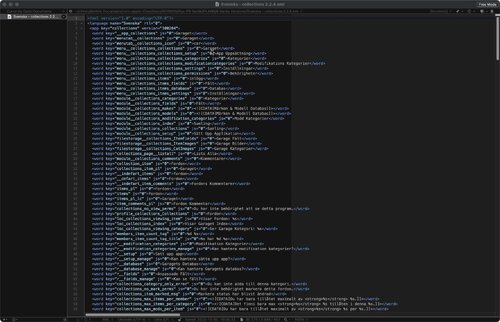
Collections Komplett Översättning av collection 2.2.4 Allows your community to setup a collection/database of items, with the ability to add images, mods and comments for each item. Including custom field support. Features: Support for item categories. Limits of how many items per member and mods/images/comments allowed per item set by per member group. Discussion topics options for items added. Ability to add custom fields into the main tag itself instead of a new tab. Featured items for those who want to feature items on the main collections system page. Tab system to organize multiple custom fields. Item comments for items your members add. Let your members add, edit and delete there own items, modifications and images. Upload multiple images for each item or modification added. Thumbnail generation for larger images, ensures that this application does not use large amounts of bandwidth. Garage System v3 importer: The Collections application comes with an importer that will import your existing IPB 3.4 Garage data into the the Collections application. There are some minor differences between each system, so it's recommended you contact us before purchasing if you have any questions. Custom Fields: Allows you to quickly and effortlessly add custom fields to the Collections System without the need to edit source code. Supported field types include: Text Input, Dropdown Box, Multi-Select Dropdown, Radio Buttons, Check Boxes, Text Area and Password. Filinformation Inlämnare Chris59 Inskickat 2024-11-11 Kategori Gratis Visa fil
-
This app helps users connect and build friendships with others in an easy and engaging way. Features: Friend Requests: Users can send friend requests to connect with others. Notifications: Get notified when: You receive a new friend request. Your friend request has been accepted. Users can manage notification preferences, choosing to enable/disable them or receive alerts via email or inline notifications. Friend Display: A Friends icon on the top navigation bar appears on every page. A Friends tab is available on the profile page. One-click access to send private messages (PM) or chat (requires Chatbox+). Quick friend search for easy access to connections. Privacy Settings: Users have control over their privacy, with options to set: Who can view their profile. Who can send them private messages. Who can see their friends list on their profile. Suggested Friends Widget: A widget displays random users you may know, available in slider or grid view for easy browsing. Mutual Friends Display: Mutual friends are shown on the profile page and in the suggested friends widget, making it easy to find common connections.Visa hela artikeln
-
This app helps users connect and build friendships with others in an easy and engaging way. Features: Friend Requests: Users can send friend requests to connect with others. Notifications: Get notified when: You receive a new friend request. Your friend request has been accepted. Users can manage notification preferences, choosing to enable/disable them or receive alerts via email or inline notifications. Friend Display: A Friends icon on the top navigation bar appears on every page. A Friends tab is available on the profile page. One-click access to send private messages (PM) or chat (requires Chatbox+). Quick friend search for easy access to connections. Privacy Settings: Users have control over their privacy, with options to set: Who can view their profile. Who can send them private messages. Who can see their friends list on their profile. Suggested Friends Widget: A widget displays random users you may know, available in slider or grid view for easy browsing. Mutual Friends Display: Mutual friends are shown on the profile page and in the suggested friends widget, making it easy to find common connections.Visa hela artikeln
-
This app helps users connect and build friendships with others in an easy and engaging way. Features: Friend Requests: Users can send friend requests to connect with others. Notifications: Get notified when: You receive a new friend request. Your friend request has been accepted. Users can manage notification preferences, choosing to enable/disable them or receive alerts via email or inline notifications. Friend Display: A Friends icon on the top navigation bar appears on every page. A Friends tab is available on the profile page. One-click access to send private messages (PM) or chat (requires Chatbox+). Quick friend search for easy access to connections. Privacy Settings: Users have control over their privacy, with options to set: Who can view their profile. Who can send them private messages. Who can see their friends list on their profile. Support the uStatus application with the permission: Who can post on your profile. Suggested Friends Widget: A widget displays random users you may know, available in slider or grid view for easy browsing. Mutual Friends Display: Mutual friends are shown on the profile page and in the suggested friends widget, making it easy to find common connections.Visa hela artikeln
-
Slider Maker is an application that allows you to create professional sliders, responsive layout and touch support for mobile devices. You can manually build your sliders by adding images, videos, content, animated layers. Or adding slides automatically from Clubs, Forums, Downloads, Calendar, Gallery, Pages, Videobox. It’s focused on performance, stability, accessibility to providing the best experience for user experience in mind. Providing a clean and intuitive user interface in ACP and a smooth experience for the end-users. Back-end features: Create and manage sliders with a clean and intuitive user interface in ACP. Customize the slides with different layers: Heading, Content, Image, Video (Youtube & Vimeo). Sort slides and layers with a simple drag and drop. Easy remove or duplicate a slide. Auto builds a slider from content items (supports Clubs, Forums, Pages, Downloads, Gallery, Blog, Calendars, Nexus Products, Videobox, Tutorials). Auto generates random CSS backgrounds for content items that have no images. Export and import allow you to create backups or move sliders between installations. Preview all your changes directly in the ACP. Breakpoints to change the configuration of the slider depending on screen size. Permission to view sliders. Front-end features: Fully Responsive Touch swipe Transition effects: Fade & Slide Carousel layout Animated and static layers Full Width and Full Window Full screen Auto Height Infinite scrolling Keyboard navigation Thumbnails Lazy loading Video support (Youtube and Vimeo). Different sized images JavaScript breakpoints Display slider in IPS widget (top, bottom, sidebar), or using slider's code to templates to display it everywhere. Viewing content in a popup (supports Downloads, Forums, Pages, Calendars, Videobox) Examples: https://demo.ipsappzone.com/slidermaker/example1.html/ (Gallery with animated layers and thumbnails) https://demo.ipsappzone.com/slidermaker/example2.html/ (Slider with animated layers) https://demo.ipsappzone.com/slidermaker/example3.html/ (Carousel)Visa hela artikeln
-
Slider Maker is an application that allows you to create professional sliders, responsive layout and touch support for mobile devices. You can manually build your sliders by adding images, videos, content, animated layers. Or adding slides automatically from Clubs, Forums, Downloads, Calendar, Gallery, Pages, Videobox. It’s focused on performance, stability, accessibility to providing the best experience for user experience in mind. Providing a clean and intuitive user interface in ACP and a smooth experience for the end-users. Back-end features: Create and manage sliders with a clean and intuitive user interface in ACP. Customize the slides with different layers: Heading, Content, Image, Video (Youtube & Vimeo). Sort slides and layers with a simple drag and drop. Easy remove or duplicate a slide. Auto builds a slider from content items (supports Clubs, Forums, Pages, Downloads, Gallery, Blog, Calendars, Nexus Products, Videobox, Tutorials). Auto generates random CSS backgrounds for content items that have no images. Export and import allow you to create backups or move sliders between installations. Preview all your changes directly in the ACP. Breakpoints to change the configuration of the slider depending on screen size. Permission to view sliders. Front-end features: Fully Responsive Touch swipe Transition effects: Fade & Slide Carousel layout Animated and static layers Full Width and Full Window Full screen Auto Height Infinite scrolling Keyboard navigation Thumbnails Lazy loading Video support (Youtube and Vimeo). Different sized images JavaScript breakpoints Display slider in IPS widget (top, bottom, sidebar), or using slider's code to templates to display it everywhere. Viewing content in a popup (supports Downloads, Forums, Pages, Calendars, Videobox) Examples: https://demo.ipsappzone.com/slidermaker/example1.html/ (Gallery with animated layers and thumbnails) https://demo.ipsappzone.com/slidermaker/example2.html/ (Slider with animated layers) https://demo.ipsappzone.com/slidermaker/example3.html/ (Carousel)Visa hela artikeln
-
This app allows members to add a gallery to their post by BBCode. (Supports Forums & Pages) Main Features: Enable/disable Groups can use Responsive Gallery Customization: width/height, auto play, thumbnail, transitions, speed, image crop There is a form in the editor that helps members easy to add image URLs, captions, or select albums (from Gallery app) Demo: https://demo.ipsappzone.com/topic/1013-gallery-test/Visa hela artikeln
-
This app allows members to add a gallery to their post by BBCode. (Supports Forums & Pages) Main Features: Enable/disable Groups can use Responsive Gallery Customization: width/height, auto play, thumbnail, transitions, speed, image crop There is a form in the editor that helps members easy to add image URLs, captions, or select albums (from Gallery app) Demo: https://demo.ipsappzone.com/topic/1013-gallery-test/Visa hela artikeln
-
This app allows members to add a gallery to their post by BBCode. (Supports Forums & Pages) Not work on IPS Cloud because it requires editing PHP files. Main Features: Enable/disable Groups can use Responsive Gallery Customization: width/height, auto play, thumbnail, transitions, speed, image crop There is a form in the editor that helps members easy to add image URLs, captions, or select albums (from Gallery app) Demo: https://demo.ipsappzone.com/topic/1013-gallery-test/Visa hela artikeln
-
This application will get topics from selected forums or clubs, and display as a feed with essential enhancements: Quick reply. Reactions. Ajax Paginations. Ajax for edit/delete/hide/unhide/lock/unlock options Option to set widget's title. Option to set how topics should be loaded per page. Option to truncate lines. Option to enable/disable rich text. Option to show/hide the topic's title. Automated title. User will no need to enter the title when posting a new topic. Creating multiple feeds and easy to manage them in different groups. Each feed has a unique page with friendly URL. Ability to use a Widget to display a feed. Supports Clubs. (Required Forums app) Visa hela artikeln
-
Quick Search is a small application that instantly brings an intuitive search form and smart autocomplete. Results are displayed with eye-catching thumbnails, providing a seamless browsing experience across all applications. Make finding content easier and faster with Quick Search! Settings: Enable/Disable. Permissions for member groups. Max results. Search incomplete words Find results in Content titles only | Content titles and body Search Mode: OR / AND Set default search type for all pages Show category and author in search results. Display Quick Search in mobile & tablet. Support widgets Demo: http://demo.ipsappzone.comVisa hela artikeln
-
Quick Search is a small application that instantly brings an intuitive search form and smart autocomplete. Results are displayed with eye-catching thumbnails, providing a seamless browsing experience across all applications. Make finding content easier and faster with Quick Search! Settings: Enable/Disable. Permissions for member groups. Max results. Search incomplete words Find results in Content titles only | Content titles and body Search Mode: OR / AND Set default search type for all pages Show category and author in search results. Display Quick Search in mobile & tablet. Support widgets Demo: http://demo.ipsappzone.comVisa hela artikeln
-
This app allows using Widget to display the statistic in your site. Members could see and update the newest information on that. Features: DISPLAY STATS IN TAB VIEW DISPLAY STATS IN GRID VIEW Manage stats in widget's settings: Easy to add/delete stats. Drag & drop to reorder the position quickly. Clicking on stats to options: title, categories, thumbnails. Supports IPS official apps: Forums, Downloads, Pages, Nexus, Gallery, Calendar. And 3rd party apps that meets the requirement for IPS4 Content, such as: Videobox, Musicbox, Tutorials, etc.... with the following stats: New content New comments New reviews Most viewed Hot Topics New Members Top Reputations ..... Other: Auto-update stats every X seconds. Widget title. Thumbnail style (square or round). Fully support AJAX. Fully support responsive design.Visa hela artikeln
-
This app allows using Widget to display the statistic in your site. Members could see and update the newest information on that. Features: DISPLAY STATS IN TAB VIEW DISPLAY STATS IN GRID VIEW Manage stats in widget's settings: Easy to add/delete stats. Drag & drop to reorder the position quickly. Clicking on stats to options: title, categories, thumbnails. Supports IPS official apps: Forums, Downloads, Pages, Nexus, Gallery, Calendar. And 3rd party apps that meets the requirement for IPS4 Content, such as: Videobox, Musicbox, Tutorials, etc.... with the following stats: New content New comments New reviews Most viewed Hot Topics New Members Top Reputations ..... Other: Auto-update stats every X seconds. Widget title. Thumbnail style (square or round). Fully support AJAX. Fully support responsive design.Visa hela artikeln
-
This application will get topics from selected forums or clubs, and display as a feed with essential enhancements: Quick reply. Reactions. Ajax Paginations. Ajax for edit/delete/hide/unhide/lock/unlock options Option to set widget's title. Option to set how topics should be loaded per page. Option to truncate lines. Option to enable/disable rich text. Option to show/hide the topic's title. Automated title. User will no need to enter the title when posting a new topic. Creating multiple feeds and easy to manage them in different groups. Each feed has a unique page with friendly URL. Ability to use a Widget to display a feed. Supports Clubs. (Required Forums app)Visa hela artikeln
-
This application will get topics from selected forums or clubs, and display as a feed with essential enhancements: Quick reply. Reactions. Ajax Paginations. Ajax for edit/delete/hide/unhide/lock/unlock options Option to set widget's title. Option to set how topics should be loaded per page. Option to truncate lines. Option to enable/disable rich text. Option to show/hide the topic's title. Automated title. User will no need to enter the title when posting a new topic. Creating multiple feeds and easy to manage them in different groups. Each feed has a unique page with friendly URL. Ability to use a Widget to display a feed. Supports Clubs. (Required Forums app)Visa hela artikeln
-
This application allows adding cover images or HTML in forum view quickly and easily. Features: Show a single image or multiple images (slider style) in the top of forum view. Support HTML. Various customization options for slider style such as navigation buttons, auto slide, max height, interval, transition effect, display forum's title & description in cover. Fully responsive. Demo: https://demo.ipsappzone.com/forum/2-a-test-forum/Visa hela artikeln
-
This application allows adding cover images or HTML in forum view quickly and easily. Features: Show a single image or multiple images (slider style) in the top of forum view. Support HTML. Various customization options for slider style such as navigation buttons, auto slide, max height, interval, transition effect, display forum's title & description in cover. Fully responsive. Demo: https://demo.ipsappzone.com/forum/2-a-test-forum/Visa hela artikeln
-
This application allows you to showcase testimonials on your site. Demo: http://demo.ipsappzone.com/testimonials/ Main Features: Engaging Testimonial Sliders in widget: Choose from 3 sleek slider styles to display testimonials beautifully. Flexible Sorting: by newest, oldest, or randomize. Responsive Design: Looks great on desktops, tablets, and mobile devices for a seamless experience. Category Support: Organize testimonials into relevant categories to help users find what they need. Permission Control: Set permissions for viewing, submitting, and managing testimonials. Approval Options: Enable moderation so testimonials can be approved by moderators. Customizable Fields: Toggle titles, ratings, and additional info like company, job, and website. Complete Management: Easily edit, show/hide, or delete testimonials as needed. RSS Feeds: Provide up-to-date testimonials via RSS.Visa hela artikeln